
Alternatives to Caesura
Explore the best alternatives and competitors to Caesura.
Explore 20 alternatives to Caesura. Compare features, pricing, and find the best fit for your needs.

Kody Tools
Free collection of online developer utilities, code formatters, and digital converters designed to streamline your daily workflow.

Forms Plugin
The #1 Native Form Builder Plugin for Framer - No Code, No Embeds, No External Platforms.



tallycounterweb.com
Tally Counter is a simple online counting tool for tracking attendance, workouts, inventory, sports scores, visitors, and everyday activities.


iHatePosting
Social media scheduler to create once, customize per platform, and publish across 14 networks from one dashboard.

PDFWix
PDFWix is a free online PDF toolkit designed to make everyday PDF tasks simple, fast, and private.

PDFKing
Free online PDF tools to merge, compress, convert, edit, sign, and manage documents—no signup, watermarks, or daily limits.

StyleCut
StyleCut lets you see how different hairstyles look on your own face before committing to a cut.



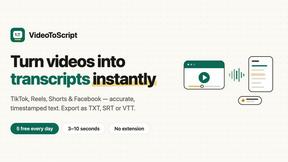
VideoToScript
Turn TikTok, Reels, Shorts, Facebook videos, audio, and video into accurate timestamped transcripts with TXT, SRT, and VTT exports.



Wisegrid
Spreadsheet-native work management with AI formulas, dashboards, automation, reporting, and project views for growing teams.


Postqued
Schedule and publish social content across 10 platforms with one dashboard, API, and MCP built for teams and AI agents.

Ton to Kg Calculator
Ton To KG Calculator is a free online weight conversion tool that helps users instantly convert tons to kilograms with precision. Built with a clean.
About Caesura Alternatives
For desk-bound professionals who spend extended hours in front of a screen, maintaining physical well-being often takes a backseat to productivity. Caesura addresses this challenge as a macOS menu-bar application that functions as a calm, non-intrusive break manager. It falls within the Health and Productivity categories, offering gentle reminders to drink water, stretch, rest your eyes, check your posture, and breathe, all on independent schedules. Users commonly seek alternatives to such tools due to factors like pricing preferences (seeking a free tier or a one-time purchase instead of a subscription), platform limitations (needing Windows or Linux support), or a desire for more granular customization of reminder intervals and notification styles. When evaluating an alternative to a tool like Caesura, it is essential to prioritize software that respects your workflow rather than disrupting it. Look for solutions that offer independent scheduling for different break types, as this allows you to address specific health needs without a one-size-fits-all approach. Additionally, consider the notification style—whether it coalesces multiple reminders into a single, gentle break to avoid frequent interruptions. Finally, assess the platform compatibility, privacy policy (especially if no accounts are required), and the overall simplicity of the interface, as the best tools are those you can set up once and forget about until they are needed.
FAQs about Caesura Alternatives
What is Caesura?
Caesura is a calm macOS menu-bar break manager designed for people who spend long hours at a desk. It provides timely, non-intrusive reminders to help you maintain your physical health during work, including prompts to drink water, stretch, walk, rest your eyes, check your posture, and breathe. Each reminder runs on its own independent schedule, and when two reminders fall close together, Caesura coalesces them into one gentle break to avoid interrupting you twice in a row.
Who is Caesura for?
Caesura is specifically built for anyone working long hours at a desk, particularly macOS users who want to maintain their health without breaking their focus. It is ideal for remote workers, software developers, writers, designers, and other professionals who often become absorbed in their tasks and forget to take necessary breaks. The app is designed to be simple and unobtrusive, making it suitable for users who dislike clutter or complex setup processes.
Is Caesura free?
Caesura offers a 14-day free trial so you can test its features and see if it fits your workflow. After the trial period, a purchase or subscription is required to continue using the app. The product is designed without any accounts or clutter, meaning you can try it immediately without creating an account or sharing personal information.
What are the main features of Caesura?
Caesura provides independent scheduling for six types of health reminders: drinking water, walking, stretching your wrists, resting your eyes, checking your posture, and breathing exercises. Its key feature is the intelligent coalescing of reminders, which merges two notifications that fall close together into a single, gentle break. The app runs entirely from the macOS menu bar, requires no user accounts, and focuses on delivering timely nudges without unnecessary features or distractions.