

ImageToSTL.online
ImageToSTL.online is a free private browser tool that instantly converts PNG and JPG images into watertight STL files for 3D printing.
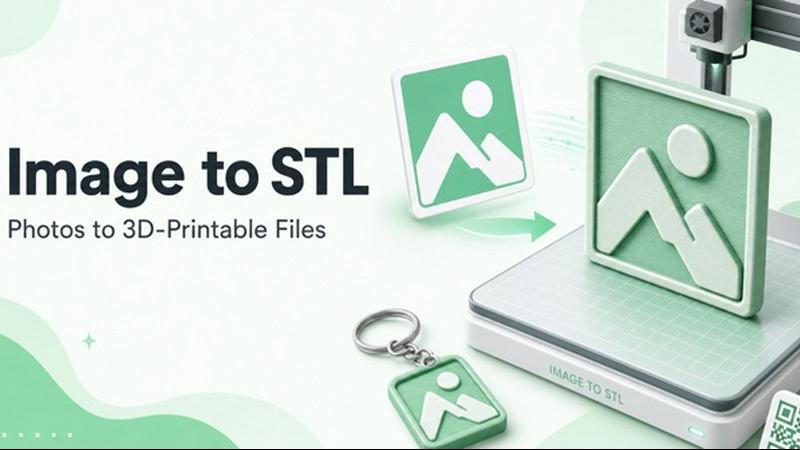
About ImageToSTL.online
ImageToSTL.online is a free, browser-based converter that transforms standard 2D image formats like PNG and JPG into watertight, 3D printable STL files in under one second. Designed for makers, hobbyists, and professionals, this tool eliminates the need for complex 3D modeling software or cloud uploads by processing everything directly on the user's device. The core value proposition is speed, privacy, and simplicity: users can drag an image into the browser, select from four distinct modes including logo extrude, photo relief, lithophane, and keychain, adjust parameters with live preview sliders, and download a ready-to-print STL file instantly. The platform supports multiple input formats such as PNG, JPG, WebP, SVG, GIF, and BMP, and ensures that no image data ever leaves the user's computer. This makes it ideal for sensitive designs or quick prototyping. ImageToSTL.online is built for anyone who needs to convert a 2D image into a physical 3D object, whether for branding, personalized gifts, home decor, or functional parts. The tool also includes an AI Full 3D mode for generating full-color, 360-degree models from a single photo, expanding its utility beyond simple heightmap conversions. With no signup required, no file caps, and no watermarks, it offers an unlimited, hassle-free experience for the 3D printing community.
Features of ImageToSTL.online
Four Conversion Modes with Live Preview
ImageToSTL.online provides four distinct modes to handle different image-to-3D needs: Logo Extrude creates raised badges from flat graphics, Photo Relief maps brightness to height for embossed artwork, Lithophane generates backlit glow effects from photos, and Keychain adds a 4mm hole for printing wearable items. Each mode updates the 3D preview in under a second as users adjust sliders for width, detail, smoothing, depth, and base thickness. This real-time feedback loop allows for precise tuning without waiting for renders, ensuring the final STL matches the user's vision before download.
100% Private Browser-Side Processing
All image processing occurs entirely on the user's device with no upload to external servers. When a user drops a PNG, JPG, or other supported image into the converter, the file never leaves their computer. This privacy-first approach is critical for designers working on confidential logos, personal photos, or proprietary artwork. It also means there are no file size limits, no queue times, and no dependency on internet speed for processing, making the tool reliable even in offline-capable environments.
Watertight Binary STL Output
Every STL file generated by ImageToSTL.online is a closed, watertight mesh with real millimeter units. Watertight meshes have no holes, gaps, or non-manifold edges, which is essential for successful 3D printing. The binary STL format keeps file sizes compact while preserving all geometric detail. The output is immediately compatible with popular slicers like Bambu Studio, Cura, and PrusaSlicer, eliminating the need for manual mesh repair or scaling before printing.
AI Full 3D Mode for Colored Models
Beyond standard heightmap conversions, ImageToSTL.online includes an advanced AI Full 3D mode that reconstructs full-color, 360-degree models from a single product photo. This feature uses machine learning to infer depth, texture, and color, producing collectible-quality STLs suitable for figurines, toys, and decorative objects. Users can drag the preview to inspect the model from every angle before downloading, ensuring the AI-generated geometry meets their expectations for complex shapes.
Use Cases of ImageToSTL.online
Logo Extrusion for Brand Merchandise
Businesses and makers can convert company logos or mascots into raised 3D badges for keychains, fridge magnets, or product labels. The Logo Extrude mode treats the image as a silhouette, creating a clean, raised shape with a flat back. Users can adjust the extrusion height and add a keychain hole for functional giveaways. This is ideal for promotional events, trade shows, or personalized branding where quick turnaround and no setup costs are critical.
Photo Relief for Personalized Wall Art
Turning a family photo, pet portrait, or landscape into a 3D relief plaque preserves memories in a tactile form. The Photo Relief mode maps image brightness to height: bright areas rise and dark areas stay low, or users can invert the effect. The result is an embossed panel that can be printed flat and mounted on a wall. This use case appeals to hobbyists creating custom home decor or gifts that capture the depth and emotion of a photograph.
Lithophane Night Lights for Gifts
Lithophanes transform photos into translucent panels that reveal their image when backlit by a light source. The Lithophane mode creates a thin, variable-thickness mesh where brighter areas are thinner and darker areas are thicker. Printed in white PLA at 100% infill and stood vertically, these make stunning night lights, window decorations, or lamp shades. This is a popular use case for personalized gifts, memorial pieces, or seasonal decorations that combine technology with sentiment.
Keychain Production for Events and DIY
The Keychain mode simplifies creating wearable 3D prints by automatically adding a 4mm hole to any extruded shape. Users can convert logos, names, icons, or QR codes into durable keychains that print flat on the build plate in under an hour. This is perfect for small batch production at maker fairs, as party favors, or for organizing tools and bags. The fast conversion and download speed allow for rapid iteration on designs without software overhead.
Frequently Asked Questions
What image formats are supported for conversion?
ImageToSTL.online supports PNG, JPG, WebP, SVG, GIF, and BMP file formats. Users can drag and drop files directly into the browser window or paste from the clipboard using Ctrl+V. The tool also offers sample images for testing each mode. All files are processed locally, so there are no restrictions on file size beyond what the user's browser can handle.
How does the privacy and security of my images work?
All image processing happens entirely on the user's device using browser-side JavaScript. No image data is uploaded to any server, meaning the files never leave the user's computer. This ensures complete privacy for sensitive designs, personal photos, or proprietary artwork. The tool works offline after the initial page load, and no account or signup is required to use any feature.
Can I adjust the dimensions and detail of the 3D model?
Yes, each conversion mode includes adjustable sliders for model width, detail level, smoothing, relief depth, and base thickness. The model width is set in real millimeters, and the preview updates instantly as sliders are moved. For lithophanes, users can also invert the height mapping so dark areas rise instead of bright areas. These controls allow fine-tuning of the final STL for specific print requirements.
Is the STL file ready for immediate 3D printing?
Yes, every STL file downloaded from ImageToSTL.online is a watertight binary mesh with real millimeter units. Watertight means the mesh has no holes or gaps, which is essential for slicer software to generate proper toolpaths. The file is immediately compatible with Bambu Studio, Cura, PrusaSlicer, and other common slicers without needing repair or scaling. Printing tips are provided for each mode, such as recommended layer heights and infill percentages.
Explore more in this category:
Similar to ImageToSTL.online

FreeVideoGenerator
Free AI video generator: turn text prompts and photos into video clips with Sora 2, Veo 3.1, Wan and more. Free starter credits, no watermark download


Ecommerce Data API
Amazon research data APIs for developers, sellers and AI agents. Integrate product, keyword and market research through REST APIs and MCP.

Capafy AI
Agent Skills marketplace: discover expert AI agents, run them online, or publish a Skill and earn from every sale.

Novastart
Apps and files on an infinite canvas where people and AI agents work together.


StackLedge
Discover verified SaaS, practical AI tools, and custom n8n workflows on an architecture-first discovery platform built for modern builders.

ButterShare
Transfer files between iPhone, Android, Windows, and Mac directly from your browser. Free, secure, and private. No apps, cloud storage, or signup.