
Alternatives to ImageToSTL.online
Explore the best alternatives and competitors to ImageToSTL.online.
Explore 20 alternatives to ImageToSTL.online. Compare features, pricing, and find the best fit for your needs.

FreeVideoGenerator
Free AI video generator: turn text prompts and photos into video clips with Sora 2, Veo 3.1, Wan and more. Free starter credits, no watermark download

Ecommerce Data API
Amazon research data APIs for developers, sellers and AI agents. Integrate product, keyword and market research through REST APIs and MCP.

Capafy AI
Agent Skills marketplace: discover expert AI agents, run them online, or publish a Skill and earn from every sale.

StackLedge
Discover verified SaaS, practical AI tools, and custom n8n workflows on an architecture-first discovery platform built for modern builders.
ButterShare
Transfer files between iPhone, Android, Windows, and Mac directly from your browser. Free, secure, and private. No apps, cloud storage, or signup.

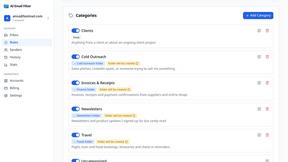
AI Email Filter
AI Email Filter sorts incoming mail into folders using plain-language prompts you write. Works with any IMAP mailbox; bring your own LLM if you want.

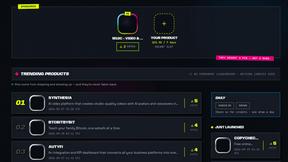
DebutPin
Indie product playground — ship products, collect pins for the ones you genuinely like.

Product Launch Checklist
A free launch checklist for SaaS, apps, AI tools and more. Every step says why it matters and when you can skip it.
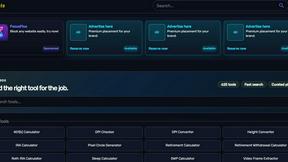
Kody Tools
Free collection of online developer utilities, code formatters, and digital converters designed to streamline your daily workflow.
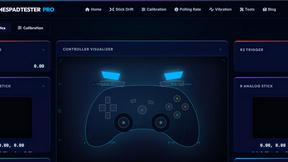
Gamespad Taster
A simple online gamepad tester that helps you check controller buttons, sticks, triggers, D-pad, and other inputs instantly.
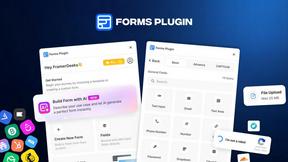
Forms Plugin
The #1 Native Form Builder Plugin for Framer - No Code, No Embeds, No External Platforms.
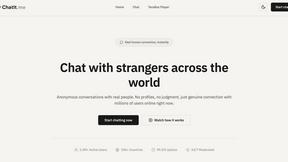
Chatit Me - Free Random Chat Alternative
Chat with random strangers online for free on ChatIt.me. Enjoy safe, anonymous, and instant 1-on-1 conversations with people worldwide
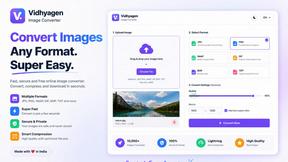


About ImageToSTL.online Alternatives
ImageToSTL.online is a free, browser-based tool that converts PNG and JPG images into watertight STL files for 3D printing, placing it within the Design Tools and Productivity & Management categories. It offers specialized modes for logo extrusion, photo relief, lithophanes, and keychain creation, all processed privately on the user’s own device. Users commonly seek alternatives due to limitations in supported file formats, a desire for advanced editing features like mesh smoothing or scaling, or the need for integration with specific workflows such as CAD software. Others may require batch processing capabilities, higher resolution output, or platform-specific support for mobile or desktop operating systems. When choosing an alternative, look for tools that match your primary use case, such as lithophane generation or logo extrusion, and evaluate critical factors like processing speed, output quality, and privacy guarantees. Consider whether the tool offers real-time previews, adjustable depth or thickness parameters, and compatibility with your 3D printer’s file size limits. Additionally, assess pricing models, as some alternatives may charge per conversion or require subscriptions, and verify that the tool handles image transparency and color mapping effectively to produce clean, printable geometry without manual cleanup.
FAQs about ImageToSTL.online Alternatives
What is ImageToSTL.online?
ImageToSTL.online is a free, browser-based tool that converts PNG and JPG images into watertight STL files for 3D printing. It processes all data on the user's device, ensuring privacy, and generates results in under a second. The tool supports four dedicated modes: logo extrude, photo relief, lithophane, and keychain creation, each with a live preview feature.
Who is ImageToSTL.online for?
ImageToSTL.online is designed for 3D printing enthusiasts, hobbyists, and professionals who need to quickly turn 2D images into printable 3D models. It is ideal for users creating custom logos, photo reliefs, decorative lithophanes, or personalized keychains. The tool requires no software installation or account creation, making it accessible to beginners and advanced users alike.
Is ImageToSTL.online free?
Yes, ImageToSTL.online is completely free to use with no hidden charges or subscription fees. There are no limits on the number of conversions, and the tool does not require payment for access to its four modes or live preview functionality. All processing occurs in the browser, which also eliminates any server-side costs for the user.
What are the main features of ImageToSTL.online?
The main features include four conversion modes: logo extrude for flat raised designs, photo relief for depth-mapped images, lithophane for backlit translucent prints, and keychain for models with a built-in hole. The tool offers private browser-side processing, meaning no images are uploaded to external servers. It also provides a live preview, generates watertight STL files in under a second, and supports PNG and JPG input formats.