
Alternatives to CustomTattoo AI
Explore the best alternatives and competitors to CustomTattoo AI.
Explore 20 alternatives to CustomTattoo AI. Compare features, pricing, and find the best fit for your needs.
My Tools Suite Pro
Discover the best free online tools with ToolSuite Pro. Explore AI, productivity, marketing, SEO, writing, business, and software tools in one place.
Dola AI
Freemium AI creative studio: generate images and videos, edit photos and films, compose 3D scenes, and work with docs, sheets, slides and PDFs.
ArtCraft
Browser creative studio for images, video and 3D: compose, edit, stage scenes and organize references. AI generation uses credits.
AppIconGenerator
Generate iOS and Android app icons from any image and export all platform sizes for free.
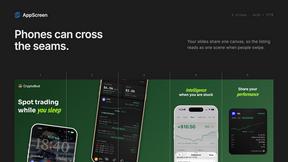
AppScreen
Design App Store and Google Play screenshots as one panoramic canvas in your browser. Free to start.
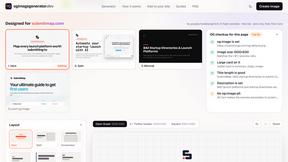
ogimagegenerator.dev
Paste a URL and AI designs on-brand Open Graph images from your page's colours, fonts and logo. Free, no sign-up.
Screen Issues
Free Online Screen Test Tool - Instantly diagnose dead pixels, lines, color issues, and flickering. Multiple test modes, no download needed.

Capafy AI
Agent Skills marketplace: discover expert AI agents, run them online, or publish a Skill and earn from every sale.
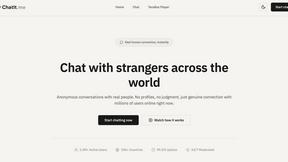
Chatit Me - Free Random Chat Alternative
Chat with random strangers online for free on ChatIt.me. Enjoy safe, anonymous, and instant 1-on-1 conversations with people worldwide
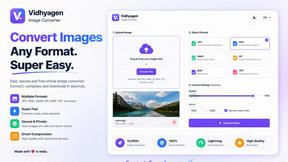
VidhyaGen
Fast, free, and privacy-first browser tool to convert, crop, resize, and compress images locally without server uploads.
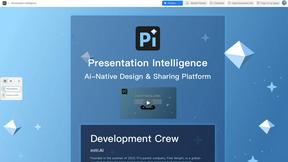
Presentation Intelligence
AI-native presentation and visual content platform that turns prompts, documents, images, videos, and data into polished, shareable decks.
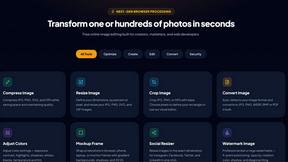

StopScroll
AI YouTube thumbnail maker that helps creators generate high-click thumbnails faster.
FLUX 3 Video Generator
Create synchronized AI video and native audio from text, images, keyframes, and references.

FLUX 3 AI Image Generator
Create and edit images with multimodal FLUX 3 direction and live FLUX.2 generation.
HubVanta AI
HubVanta AI helps creators generate images and videos with advanced AI tools for visual content workflows.
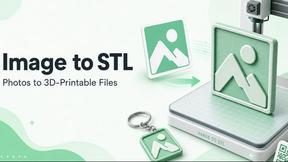
ImageToSTL.online
ImageToSTL.online is a free private browser tool that instantly converts PNG and JPG images into watertight STL files for 3D printing.
About CustomTattoo AI Alternatives
CustomTattoo AI is an AI-powered design tool that helps users generate, save, and preview custom tattoo concepts directly on their own skin. It falls under the broader category of design tools, specifically tailored for tattoo planning and visualization. While the platform offers a streamlined way to explore styles and placements, users often look for alternatives due to factors such as pricing models, the need for more advanced editing features, or a desire for a platform that integrates more seamlessly with their preferred tattoo artist’s workflow. Others may seek options that offer a larger community gallery or more granular control over the AI’s output style. When evaluating an alternative to CustomTattoo AI, it is important to prioritize features that align with your specific tattoo planning needs. Key considerations include the quality and diversity of the generated design styles, the realism of the skin preview feature, and the ease of saving and organizing your ideas. You should also assess the platform’s pricing structure, data privacy policies, and whether it allows you to export high-resolution images that can serve as clear references for your tattoo artist. A strong alternative will help you refine your visual direction with confidence, regardless of your experience level with tattoos.
FAQs about CustomTattoo AI Alternatives
What is CustomTattoo AI?
CustomTattoo AI is an AI-powered platform designed to help users generate, save, and preview custom tattoo concepts. It allows users to describe their idea, receive AI-generated designs in various styles, and then preview those designs on a photo of their own skin. The service is intended to serve as a planning and visualization tool before consulting with a tattoo artist.
Who is CustomTattoo AI for?
CustomTattoo AI is designed for a wide range of users, including first-time tattoo clients who want to explore ideas, tattoo enthusiasts looking for new style directions, and anyone seeking more confidence before committing to permanent ink. It is also useful for individuals who want to bring a clearer, more refined visual reference to their tattoo artist during a consultation. The platform helps users compare styles, test placement, and refine their overall design direction.
What are the main features of CustomTattoo AI?
The platform offers several key features, including the ability to describe a tattoo idea and generate custom concepts in different artistic styles. Users can save their favorite designs to a personal library for later review and use the skin preview tool to see how a design would look on their own body before booking a session. These features help users test placement, compare styles, and build a clear visual direction for their artist.
Is CustomTattoo AI secure?
While specific security protocols are not detailed in the provided product description, platforms like CustomTattoo AI typically implement standard data protection measures to safeguard user-uploaded images and design preferences. Users should review the platform’s privacy policy to understand how their personal photos and generated designs are stored and used. As with any online service, it is advisable to avoid sharing sensitive personal information beyond what is necessary for the design process.