

Veo 4 video generator
Veo 4 transforms text, images, or video into studio-quality clips with realistic motion and cinematic detail in seconds.
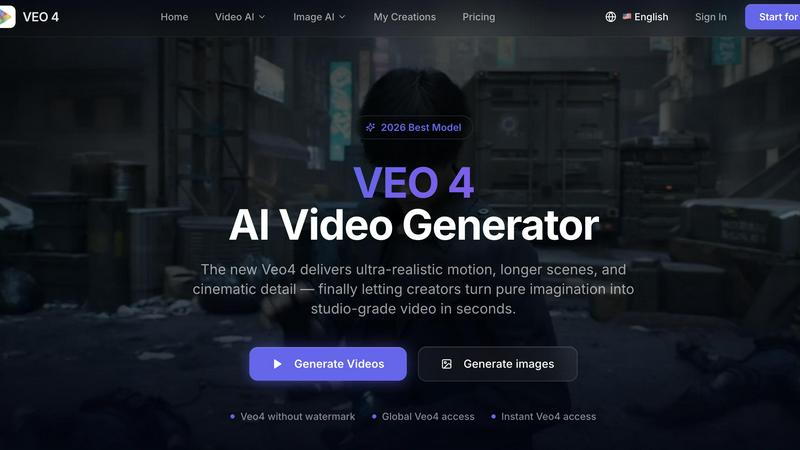
About Veo 4 video generator
Veo 4 is a next-generation AI video generator designed to bridge the gap between creative concepts and production-ready video content. Unlike many AI video tools that produce experimental or jerky, low-detail results, Veo 4 focuses on delivering ultra-realistic motion, longer scenes, and cinematic detail suitable for real-world commercial projects. The platform supports three core creation paths: text to video, image to video, and video to video. This versatility allows users to start with a simple written prompt, a still image, or an existing video clip and transform it into polished, export-ready footage. Veo 4 is built for speed and clarity, making it especially valuable for marketing and creative teams who need to produce first drafts quickly, compare variations, and shorten the gap between concept and publishable media. The tool is designed to be a practical AI video workflow rather than a research demo, focusing on turning ideas into clips that can actually be used in ads, landing pages, and social campaigns. With features like smoother motion, cleaner framing, more intentional scenes, and support for longer clips, Veo 4 enables users to create narrative sequences, campaign concepts, and product explainers. The platform offers global access, no watermark on outputs, and instant generation capabilities, making it a production-ready solution for creators, marketers, agencies, and product teams who need stronger video faster. Veo 4 is particularly useful for iteration, allowing teams to restyle, extend, or improve existing footage without rebuilding from scratch, ultimately helping users move from concept to export-ready asset in seconds.
Features of Veo 4 video generator
Text to Video, Image to Video, and Video to Video Creation
Veo 4 provides three distinct creation paths to accommodate different starting points and creative workflows. Users can begin with a text prompt to explore a new concept, upload a still image when they need visual direction, or use an existing video clip to restyle, extend, or improve footage without rebuilding from scratch. This flexibility ensures that teams can work from whatever assets they have available, whether that is a simple idea, a brand image, or rough cuts of existing footage. The video to video workflow is particularly valuable for iteration, allowing teams to give existing clips a new look, stronger pacing, or cleaner motion.
Ultra-Realistic Motion and Cinematic Detail
Unlike many AI video generators that produce jerky or low-detail results, Veo 4 is engineered to deliver smoother motion, cleaner framing, and scenes that feel more intentional and believable. The model focuses on producing ultra-realistic movement that mimics natural physics and cinematography, resulting in ad creative and visual storytelling that looks professional and polished. This attention to motion quality makes Veo 4 suitable for commercial applications where visual fidelity matters, such as product launches, branded content, and social media advertising.
Extended Clip Length for Narrative Sequences
Veo 4 supports the creation of longer video clips, enabling users to generate narrative sequences, campaign concepts, and product explainers that go beyond short, experimental snippets. This capability is crucial for teams that need to tell complete stories or develop multi-scene content for marketing campaigns. The longer clip length, combined with clean exports, makes it easier to move generated footage directly into editing workflows, landing pages, or ad platforms without extensive post-processing.
Clean, Watermark-Free Exports for Professional Use
Veo 4 provides global access and produces outputs without watermarks, ensuring that generated videos are ready for immediate use in professional projects. This feature is essential for brands and agencies that need clean, branded assets for paid social ads, product launches, and landing pages. The clean exports integrate seamlessly into existing editing workflows, reducing the friction between AI generation and final production. Instant access and global availability further enhance the tool's practicality for distributed teams working across different time zones and markets.
Use Cases of Veo 4 video generator
Rapid Ad Creative Production for Marketing Teams
Marketing teams can use Veo 4 to rapidly produce first drafts of video ads for product launches, paid social campaigns, and brand storytelling. By starting with a text prompt or brand image, teams can generate multiple variations of ad creative in seconds, compare different approaches, and select the strongest options for further refinement. This accelerates the creative development process, allowing teams to test more concepts and iterate faster than traditional production methods. The clean, watermark-free exports are ready for direct use in ad platforms or editing workflows.
Social Media Content Creation for Creators and Influencers
Content creators and social media managers can leverage Veo 4 to generate engaging short-form videos for platforms like Instagram, TikTok, and YouTube Shorts. The ability to start from text, images, or existing clips provides flexibility for repurposing content and exploring new visual directions. The ultra-realistic motion and cinematic detail help creators produce visually compelling content that stands out in crowded feeds, while the fast generation speed enables them to respond quickly to trends and maintain a consistent posting schedule.
Product Explainer Videos for E-commerce and SaaS
E-commerce brands and software companies can use Veo 4 to create product explainer videos, feature demonstrations, and promotional content without the need for expensive video production. By starting with product images or simple text descriptions, teams can generate polished video assets that showcase product features, benefits, and use cases. The longer clip support allows for comprehensive explanations that cover multiple aspects of a product, and the clean exports integrate directly into landing pages, email campaigns, and website product pages.
Video Iteration and Restyling for Agencies and Studios
Creative agencies and production studios can use Veo 4's video to video workflow to restyle, extend, or improve existing footage. This is particularly valuable when teams have rough cuts, source material, or client-provided footage that needs a new look, stronger pacing, or cleaner motion. Instead of reshooting or manually editing, teams can input existing clips into Veo 4 and generate improved versions that match a new creative direction. This capability makes Veo 4 a practical tool for iteration, allowing agencies to quickly explore different visual treatments and deliver polished results to clients faster.
Frequently Asked Questions
What is the difference between text to video, image to video, and video to video in Veo 4?
Text to video allows you to generate a completely new video from a written prompt, ideal for exploring concepts or creating content from scratch. Image to video lets you animate a still image, adding motion and cinematic detail while maintaining the original visual direction. Video to video enables you to input an existing video clip and restyle, extend, or improve its motion and visual quality without rebuilding from scratch. Each path serves a different starting point, giving you flexibility based on whether you have a concept, a visual asset, or existing footage.
Can I use Veo 4 for commercial projects without a watermark?
Yes, Veo 4 produces outputs without watermarks, making the generated videos ready for professional and commercial use. This is a key feature for brands, agencies, and marketers who need clean assets for ads, landing pages, social content, and product storytelling. The watermark-free exports ensure that your final video looks polished and professional without any branding from the tool itself.
How long can the video clips generated by Veo 4 be?
Veo 4 supports the creation of longer video clips compared to many other AI video generators. This extended clip length enables users to generate narrative sequences, campaign concepts, and product explainers that require more time to tell a complete story. The longer clips are designed to be useful for real-world projects, not just short experimental snippets, and they export cleanly for integration into editing workflows or direct publishing.
What types of teams and projects is Veo 4 best suited for?
Veo 4 is designed for marketing and creative teams that need speed, clarity, and iteration in their video production. It is particularly useful for product launches, paid social videos, branded storytelling, short-form content testing, and any project where teams need to produce first drafts quickly and compare variations. Agencies, product teams, creators, and marketers can all benefit from Veo 4's ability to shorten the gap between concept and publishable media, whether they are working on ads, landing pages, or social campaigns.
Similar to Veo 4 video generator

FreeVideoGenerator
Free AI video generator: turn text prompts and photos into video clips with Sora 2, Veo 3.1, Wan and more. Free starter credits, no watermark download

TryH3 - MiniMax H3 Video Generator
Try MiniMax Hailuo H3 video generation in the browser

AIPetGen
AIPetGen turns a photo of your dog, cat, or other pet, or a written description, into a new picture or a short animation.

Slide-Easy
A Mac app that turns your App Store link into a week of Instagram Reels and carousels, written from your real reviews.


