
Alternatives to SubcueAI
Explore the best alternatives and competitors to SubcueAI.
Explore 20 alternatives to SubcueAI. Compare features, pricing, and find the best fit for your needs.
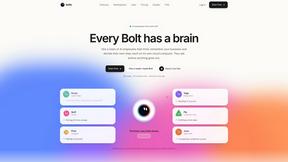
Bolts
AI employees with a brain that think, remember your business and work 24/7 on their own cloud computers.
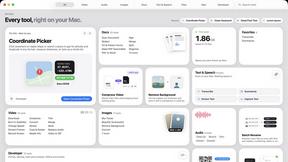
Toolbox
96 private Mac tools in one app: compress video, sign PDFs, remove backgrounds, transcribe. Offline, no account, pay once.

Safe Outreach
AI-powered platform that evaluates the safety of LinkedIn automation tools and helps reduce the risk of account restrictions.


Emailyy
Free email tools for signatures, subject lines, HTML previews, word counts, and email headers. Browser-based, simple to use, and no signup required.

Uniclip
Clip pages, take full-page screenshots and batch-capture list data to Notion, Feishu, Obsidian, Markdown, CSV or JSON.
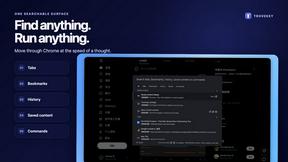
TroveKey
Search tabs, Chrome bookmarks and history, run browser commands, and save webpages and social posts locally—no account.

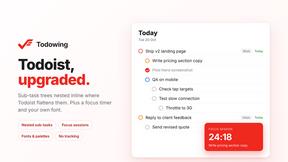
Todowing
Chrome extension for Todoist that nests sub-tasks inline in Today, Upcoming and Filters, plus a focus timer, fonts and colour palettes.
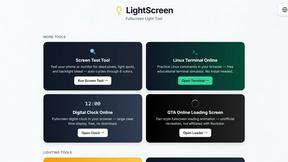
LightScreen
Free light screen tool online. Turn any display into a flashlight, ambient light, or solid-color screen. No download or sign-up.

FreeVideoGenerator
Free AI video generator: turn text prompts and photos into video clips with Sora 2, Veo 3.1, Wan and more. Free starter credits, no watermark download
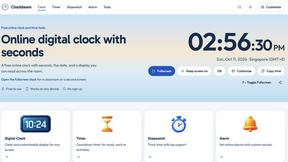


ButterShare
Transfer files between iPhone, Android, Windows, and Mac directly from your browser. Free, secure, and private. No apps, cloud storage, or signup.
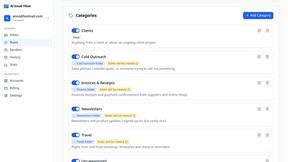
AI Email Filter
AI Email Filter sorts incoming mail into folders using plain-language prompts you write. Works with any IMAP mailbox; bring your own LLM if you want.


Product Launch Checklist
A free launch checklist for SaaS, apps, AI tools and more. Every step says why it matters and when you can skip it.
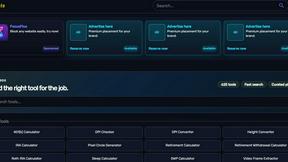
Kody Tools
Free collection of online developer utilities, code formatters, and digital converters designed to streamline your daily workflow.
Forms Plugin
The #1 Native Form Builder Plugin for Framer - No Code, No Embeds, No External Platforms.

About SubcueAI Alternatives
SubcueAI is an advanced AI interview assistant designed to enhance job interview performance for users on macOS and Windows. This innovative tool operates within the realm of productivity and management, providing real-time answer suggestions during video interviews. By capturing audio from popular video conferencing platforms like Zoom, Google Meet, and Microsoft Teams, SubcueAI transcribes questions and offers contextually relevant responses powered by cutting-edge GPT-4 technology. It caters to a variety of interview formats, including technical coding, behavioral assessments, and case studies, making it a versatile solution for job seekers. Users often seek alternatives to SubcueAI for a variety of reasons, such as pricing constraints, specific feature requirements, or compatibility with their preferred platforms. When exploring alternative options, it is essential to consider factors like user interface, ease of integration with existing tools, and the breadth of features offered. Additionally, the quality of AI-generated responses and the ability to customize the tool to fit individual needs are crucial elements that can significantly impact the effectiveness of an interview assistant. By carefully evaluating these aspects, users can find a solution that aligns with their unique interview preparation goals.
FAQs about SubcueAI Alternatives
What is SubcueAI?
SubcueAI is a real-time AI interview assistant designed to help users improve their job interview performance. It captures audio during video calls on platforms such as Zoom, Google Meet, and Microsoft Teams, transcribing questions and generating context-aware responses. Powered by GPT-4 technology, SubcueAI supports various interview formats, including technical coding, behavioral, and case interviews.
Who is SubcueAI for?
SubcueAI is primarily aimed at job seekers who want to enhance their interview skills and performance. It is especially beneficial for those preparing for technical coding interviews, behavioral assessments, or case interviews. Both macOS and Windows users can utilize SubcueAI to gain a competitive edge in the job market.
Is SubcueAI free?
SubcueAI is not a free tool; it operates on a subscription model to provide its advanced features and capabilities. Users interested in accessing SubcueAI's services will need to explore the pricing options available on the official website. This investment can be worthwhile for individuals serious about improving their interview performance.
What are the main features of SubcueAI?
The main features of SubcueAI include real-time audio capture from various video conferencing platforms, automatic transcription of interview questions, and context-aware response generation powered by GPT-4 technology. Additionally, SubcueAI supports a wide range of interview formats, allowing users to prepare effectively for technical, behavioral, and case interviews.