
Alternatives to Seedream 5.0 Pro
Explore the best alternatives and competitors to Seedream 5.0 Pro.
Explore 20 alternatives to Seedream 5.0 Pro. Compare features, pricing, and find the best fit for your needs.

Tip Toeing in My Jordans
Upload a photo and get a 12-second Tip Toeing in My Jordans video: you play the AI Rumpelstiltskin, a friend can play the woman in the hay.


Outstanding Tiny Desk AI
Upload photos of you and up to 4 friends and get a 15-second Outstanding Tiny Desk AI video with AI-generated sound, in 9:16 for TikTok and Reels.

MemeAIVideo
Upload 1–2 photos, pick a viral rap template like Hotel Lobby AI, and get a 12-second AI rap video ready for TikTok and Reels.
ImageGenerator
Create and edit AI images online with multiple models, text-to-image, image-to-image, background removal, and upscaling.

Dola AI
Freemium AI creative studio: generate images and videos, edit photos and films, compose 3D scenes, and work with docs, sheets, slides and PDFs.
filmcraft
Free online video editor in your browser: import, color, audio and preview with no account. Optional AI tools use credits.

ArtCraft
Browser creative studio for images, video and 3D: compose, edit, stage scenes and organize references. AI generation uses credits.

GenX
All-in-one AI workspace to generate images, videos, and audio with multiple leading AI models.

Bloom
An adaptive AI tutor that turns topics or your materials into courses, lessons, and answers tailored to how you learn.

AppIconGenerator
Generate iOS and Android app icons from any image and export all platform sizes for free.
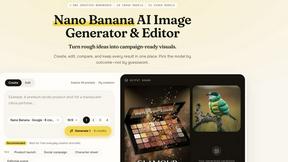
Nano AI
Create and edit AI images, generate videos, and compare models in one creative workbench.
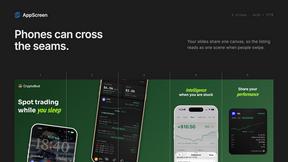
AppScreen
Design App Store and Google Play screenshots as one panoramic canvas in your browser. Free to start.

ogimagegenerator.dev
Paste a URL and AI designs on-brand Open Graph images from your page's colours, fonts and logo. Free, no sign-up.
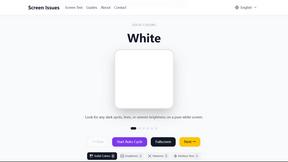
Screen Issues
Free Online Screen Test Tool - Instantly diagnose dead pixels, lines, color issues, and flickering. Multiple test modes, no download needed.

FreeVideoGenerator
Free AI video generator: turn text prompts and photos into video clips with Sora 2, Veo 3.1, Wan and more. Free starter credits, no watermark download

About Seedream 5.0 Pro Alternatives
Seedream 5.0 Pro is a professional-grade image generation workspace designed for users who require dense, information-rich layouts, multilingual text rendering, and polished, production-ready output. It falls squarely within the categories of AI Assistants, Content Creation, Design Tools, and Image Generation, serving as a comprehensive solution for creators who need to blend high-quality visuals with complex textual elements in a single workflow. This tool is particularly useful for generating marketing materials, social media graphics, and presentations where precision and clarity are paramount. Users often seek alternatives to Seedream 5.0 Pro for several practical reasons. The primary drivers include pricing structures that may not fit smaller budgets, a desire for specific feature sets like real-time collaboration or vector output, or platform compatibility issues with existing software ecosystems. When evaluating alternatives, it is crucial to consider the quality of text rendering within images, the speed of generation, the level of customization available for layouts, and the security of the platform, especially when handling proprietary or confidential content. A reliable alternative should maintain the same standard of professional output while addressing the specific gap in pricing, features, or integration that led you to explore other options.
FAQs about Seedream 5.0 Pro Alternatives
What is Seedream 5.0 Pro?
Seedream 5.0 Pro is a professional image generation workspace that specializes in creating dense layouts with multilingual text and polished production output. It is designed for users who need to combine complex textual information with high-quality visuals in a single, secure generator. This tool is categorized under AI Assistants, Content Creation, Design Tools, and Image Generation, making it a versatile solution for professional content workflows.
Who is Seedream 5.0 Pro for?
Seedream 5.0 Pro is built for professionals and teams who require production-ready image generation with a focus on text and layout precision. This includes graphic designers, marketing managers, content creators, and business analysts who need to generate materials like infographics, social media posts, and presentation slides. It is ideal for users who need a secure, all-in-one generator that can handle both visual and textual elements without compromising on quality.
Is Seedream 5.0 Pro free?
The provided content does not specify a pricing model for Seedream 5.0 Pro, but as a professional workspace, it is typically offered under a subscription or pay-per-use license rather than a free tier. Users should check the official product page for the most current pricing information, including any trial periods or enterprise plans. The cost is generally justified by its advanced features, such as multilingual text support and polished production output.
What are the main features of Seedream 5.0 Pro?
The main features of Seedream 5.0 Pro include the ability to handle dense layouts, support for multilingual text rendering, and the generation of polished, production-ready output. It functions as a secure generator, allowing users to compare different models like Seedream Lite, GPT Image 2, Nano Banana, and FLUX within a single workspace. This makes it a comprehensive tool for text and image workflows, ensuring consistency and quality across various content types.