
Alternatives to QuickTextTools
Explore the best alternatives and competitors to QuickTextTools.
Explore 20 alternatives to QuickTextTools. Compare features, pricing, and find the best fit for your needs.

FreeVideoGenerator
Free AI video generator: turn text prompts and photos into video clips with Sora 2, Veo 3.1, Wan and more. Free starter credits, no watermark download


ButterShare
Transfer files between iPhone, Android, Windows, and Mac directly from your browser. Free, secure, and private. No apps, cloud storage, or signup.
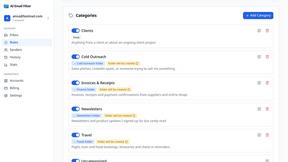
AI Email Filter
AI Email Filter sorts incoming mail into folders using plain-language prompts you write. Works with any IMAP mailbox; bring your own LLM if you want.


Product Launch Checklist
A free launch checklist for SaaS, apps, AI tools and more. Every step says why it matters and when you can skip it.

Kody Tools
Free collection of online developer utilities, code formatters, and digital converters designed to streamline your daily workflow.
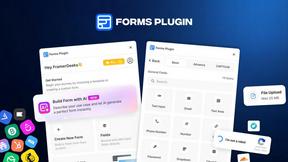
Forms Plugin
The #1 Native Form Builder Plugin for Framer - No Code, No Embeds, No External Platforms.


tallycounterweb.com
Tally Counter is a simple online counting tool for tracking attendance, workouts, inventory, sports scores, visitors, and everyday activities.

iHatePosting
Social media scheduler to create once, customize per platform, and publish across 14 networks from one dashboard.
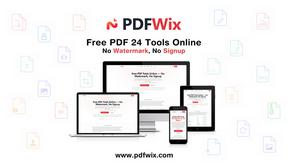
PDFWix
PDFWix is a free online PDF toolkit designed to make everyday PDF tasks simple, fast, and private.
PDFKing
Free online PDF tools to merge, compress, convert, edit, sign, and manage documents—no signup, watermarks, or daily limits.

StyleCut
StyleCut lets you see how different hairstyles look on your own face before committing to a cut.



VideoToScript
Turn TikTok, Reels, Shorts, Facebook videos, audio, and video into accurate timestamped transcripts with TXT, SRT, and VTT exports.

About QuickTextTools Alternatives
QuickTextTools is a free, browser-based platform that offers over 76 online utilities designed to enhance productivity for writers, marketers, developers, students, and SEO professionals. It falls under the Productivity & Management category, providing a centralized suite of tools for text formatting, SEO analysis, keyword management, and writing assistance that operate directly in the browser without requiring any downloads or installations. Users commonly look for alternatives due to specific needs such as seeking more advanced or specialized features beyond what a general toolkit provides, requiring integration with other software platforms, or desiring a different pricing model that includes premium support or team collaboration capabilities. Additionally, some users may find that their workflows demand a deeper focus on a single area, such as dedicated SEO auditing or long-form content management, rather than a broad collection of utilities. When evaluating an alternative to QuickTextTools, it is essential to consider the specific scope of tools you need most frequently, whether that involves advanced text manipulation, comprehensive SEO analysis, or developer-oriented code formatting. You should also assess the platform’s ease of use, data privacy policies, and whether it operates entirely within the browser or requires software installation. Look for a solution that offers a clean, intuitive interface, reliable performance, and clear documentation, as well as a pricing structure that aligns with your budget and usage frequency. Finally, ensure the alternative provides strong security protocols, especially if you are handling sensitive content or client data, and verify that it supports the file formats and output options necessary for your workflow.
FAQs about QuickTextTools Alternatives
What is QuickTextTools?
QuickTextTools is a free, user-friendly online platform that features over 76 browser-based tools designed to enhance productivity for writers, marketers, developers, students, SEO professionals, and content creators. It operates entirely within your browser without requiring any downloads or complicated setups, offering a comprehensive suite of utilities for text formatting, SEO analysis, writing assistance, and keyword management. The platform is designed to simplify workflows and save time by providing fast, easy-to-use tools that are accessible from any device with an internet connection.
Who is QuickTextTools for?
QuickTextTools is built for a wide range of users including writers, marketers, developers, students, SEO professionals, and content creators who need practical, browser-based solutions to streamline their daily tasks. It is particularly valuable for individuals who frequently work with text manipulation, keyword lists, SEO meta tags, or code formatting and want to avoid switching between multiple applications. The platform is also ideal for anyone seeking a privacy-focused, no-installation toolkit that can be used on the go without complex setup requirements.
Is QuickTextTools free?
Yes, QuickTextTools is completely free to use. The platform offers all of its 76+ online utilities at no cost, with no hidden fees or subscription requirements. Users can access the full range of text formatting, SEO analysis, writing assistance, and developer tools directly in their browser without needing to sign up or provide payment information. This makes it an accessible and cost-effective solution for individuals and small teams looking to enhance their productivity without financial commitment.
What are the main features of QuickTextTools?
QuickTextTools offers over 76 free online utilities organized into categories including text formatting tools, SEO analysis utilities, writing assistants, keyword management tools, and developer utilities. Notable features include tools for cleaning up messy keyword lists, analyzing SEO meta tags, converting text case formatting, and improving the writing process. All tools operate quickly and efficiently within the browser, emphasizing privacy and a hassle-free user experience without the need for software downloads or account creation.