
Alternatives to Push My App
Explore the best alternatives and competitors to Push My App.
Explore 20 alternatives to Push My App. Compare features, pricing, and find the best fit for your needs.
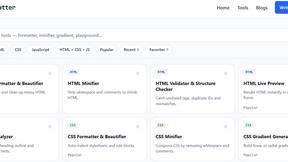
JoMatter
Jomatter provides free online tools for HTML, CSS, and JavaScript developers, helping simplify common web development and coding tasks.

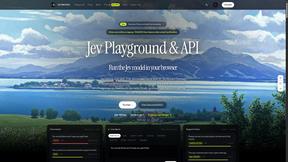
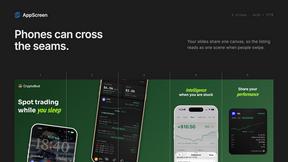
AppScreen
Design App Store and Google Play screenshots as one panoramic canvas in your browser. Free to start.
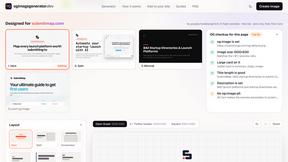
ogimagegenerator.dev
Paste a URL and AI designs on-brand Open Graph images from your page's colours, fonts and logo. Free, no sign-up.
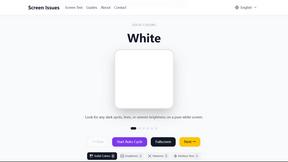
Screen Issues
Free Online Screen Test Tool - Instantly diagnose dead pixels, lines, color issues, and flickering. Multiple test modes, no download needed.
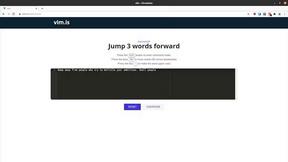
Vim.is
Vim.is is a simple online tool that helps you learn and practice Vim keyboard shortcuts quickly.

Ecommerce Data API
Amazon research data APIs for developers, sellers and AI agents. Integrate product, keyword and market research through REST APIs and MCP.


StackLedge
Discover verified SaaS, practical AI tools, and custom n8n workflows on an architecture-first discovery platform built for modern builders.

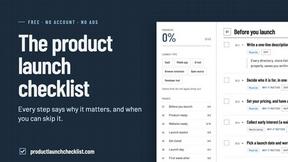
Product Launch Checklist
A free launch checklist for SaaS, apps, AI tools and more. Every step says why it matters and when you can skip it.
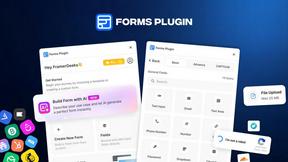
Forms Plugin
The #1 Native Form Builder Plugin for Framer - No Code, No Embeds, No External Platforms.
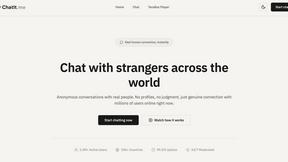
Chatit Me - Free Random Chat Alternative
Chat with random strangers online for free on ChatIt.me. Enjoy safe, anonymous, and instant 1-on-1 conversations with people worldwide
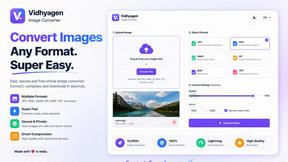
VidhyaGen
Fast, free, and privacy-first browser tool to convert, crop, resize, and compress images locally without server uploads.

AkraLabs
Where modern software products get discovered, launched, and distributed. Explore verified AI tools, SaaS startups, and developer software.

About Push My App Alternatives
Push My App is a specialized developer tool designed to streamline the entire App Store Optimization (ASO) and app submission workflow for indie developers and studios. It falls squarely within the Dev Tools category, offering an all-in-one solution that replaces the manual, multi-step process of preparing, optimizing, and deploying app listings to the Apple App Store and Google Play Store. Users frequently begin searching for alternatives due to a variety of practical considerations, such as evaluating the pricing structure against their budget, needing a feature set that is either more basic or more advanced than what is offered, or requiring specific platform integrations or team collaboration capabilities that a single tool may not provide. When evaluating an alternative to a tool like Push My App, you should prioritize solutions that align with your specific development cycle and ASO strategy. Key factors to examine include the depth of AI-powered optimization for keywords and descriptions, the comprehensiveness of pre-submission rejection checking, and the ease of automated screenshot resizing and localization. Additionally, consider how the tool handles direct submission to app stores, the quality of its generated support materials like websites and mailboxes, and whether its pricing model scales appropriately with the number of apps you manage or the frequency of your releases. The goal is to find a solution that minimizes the launch-week grind while providing reliable, accurate results.
FAQs about Push My App Alternatives
What is Push My App?
Push My App is an all-in-one platform designed to help indie developers and studios manage, optimize, and deploy their mobile app listings. It automates the process of preparing, optimizing, and submitting apps to both the Apple App Store and Google Play Store, significantly reducing the manual effort typically required. The platform uses AI to generate ASO-optimized app names, keywords, descriptions, and release notes in seconds.
Who is Push My App for?
Push My App is specifically built for indie developers and small to medium-sized studios who want to accelerate their app release cycle. It is ideal for developers who find the manual process of preparing app store listings, resizing screenshots, and translating content to be time-consuming. The tool is designed to empower teams to ship their next release up to five times faster by automating repetitive tasks.
What are the main features of Push My App?
Key features include an AI writer that optimizes your app name, keywords, description, and release notes for ASO. It also offers a Pre-Flight Rejection Scanner that checks your build and listing against over 80 known rejection reasons from Apple and Google. Additional features include automatic screenshot resizing for all required device sizes, translation of your full listing into 14 languages with re-optimized keywords, and one-click direct submission of your .ipa, .apk, or .aab files to App Store Connect and Google Play.
Is Push My App secure to use?
Yes, Push My App is designed with security and compliance in mind. The platform extracts essential metadata like the bundle ID, version, and icon directly from your uploaded files (.ipa, .apk, or .aab) to validate compliance before submission. By automating the submission process through official channels like App Store Connect and Google Play, it helps minimize the risk of manual errors that could lead to security or rejection issues.