

Krea 2 AI
Krea 2 AI is an aesthetic-first image generation workspace offering Large, Medium, and Turbo model variants with prompt expansion and style.
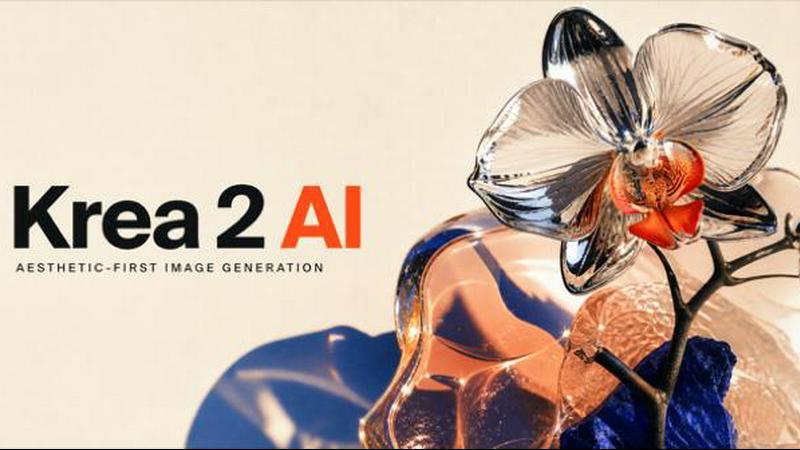
About Krea 2 AI
Krea 2 AI is a focused, aesthetic-first image generation workspace built around the Krea 2 model family. It provides designers, marketers, and creators with a dedicated environment for producing polished, expressive visuals without the need to switch between multiple tools. At its core, Krea 2 AI offers three primary model variants—Large, Medium, and Turbo—each tuned to deliver distinctive qualities in terms of grain, texture, expressive lighting, and unconventional composition. The platform is designed for rapid creative iteration, allowing users to start with a subject, frame, light, and material, then change one variable between runs to learn something specific from each generation. Beyond its native models, Krea 2 AI integrates guest image routes that provide access to other advanced models like GPT Image 2, Nano Banana, and FLUX, enabling typographic precision, fast Gemini branching, or photorealistic reference edits without leaving the Krea 2 creative workflow. The service offers three free credits to new users, supports private processing, and provides a live API for developers. Prompt expansion and image-to-image reference editing further enhance the workspace, making it a comprehensive solution for anyone needing high-quality, controlled image generation.
Features of Krea 2 AI
Aesthetic-First Model Variants
Krea 2 AI includes three core model variants—Large, Medium, and Turbo—that are specifically tuned for expressive lighting, rich texture, and unconventional composition. These models produce images that feel authored rather than generic, with a focus on grain and visual depth that sets them apart from standard generators. Users can select the variant that best matches their desired output quality and speed, ensuring each generation aligns with the creative vision.
Guest Model Integration
The platform seamlessly integrates guest image routes that allow users to access other powerful models like GPT Image 2, Nano Banana, and FLUX without leaving the Krea 2 workspace. This feature enables typographic precision, fast Gemini branching, and photorealistic reference edits, expanding the creative possibilities while maintaining a unified workflow. Users can switch between models based on the specific requirements of each project.
Prompt Expansion and Control
Krea 2 AI offers a prompt expansion feature that takes a direct idea and automatically expands it into a fuller visual brief while preserving the original subject and intent. This helps users who may not have fully developed prompts to generate more detailed and coherent images. Additionally, the platform provides controls for creativity level, aspect ratio, and model selection, giving users fine-grained control over the output.
Image-to-Image Reference Editing
The image-to-image functionality allows users to upload reference images for restyles, palette shifts, and Kontext-aware revisions. This feature is particularly useful for maintaining identity across a series of images or applying a specific aesthetic to existing visuals. Combined with the text-to-image capability, Krea 2 AI supports both fresh compositions and iterative refinements based on visual references.
Use Cases of Krea 2 AI
Character and Concept Design
Designers can use Krea 2 AI to create graphic character studies that combine fantasy subject matter with flat, high-energy compositions. For example, generating a dark blue elven archer riding a white tiger against a solid green backdrop with distorted proportions and dynamic composition demonstrates the model's ability to handle stylized, narrative-driven visuals. This use case is ideal for game design, illustration, and concept art.
Editorial and Advertising Photography
Marketers and editorial teams can leverage Krea 2 AI to produce crisp, editorial-quality photographs with specific lens effects and motion. A close, low-angle sports frame of a hooded tennis player mid-backhand with a chrome racquet showcases the platform's capacity for capturing motion, lens energy, and reflective materials. This is valuable for advertising campaigns, sports media, and brand storytelling.
Environmental and Landscape Visualization
Architects, environmental designers, and filmmakers can use Krea 2 AI to generate monumental environmental frames with extreme perspectives. An example is creating an image of a massive ancient baobab tree viewed from the base looking upward with fisheye lens distortion. This use case helps in visualizing scale, atmosphere, and spatial relationships for projects in architecture, film, and virtual environments.
Mood Board and Art Direction Development
Creative directors and art buyers can quickly generate a range of visual directions for mood boards using Krea 2 AI's model outputs. The platform supports multiple styles, formats, and production directions, allowing teams to explore different aesthetics—from illustration ranges to cinematic portraits—before committing to a final direction. This accelerates the art direction process and facilitates client presentations.
Frequently Asked Questions
How do the three Krea 2 model variants differ?
Krea 2 Large, Medium, and Turbo are tuned for different balances of quality and speed. Large offers the highest quality with the most expressive lighting, texture, and composition. Medium provides a balanced approach suitable for most projects. Turbo is optimized for faster generation while still maintaining the aesthetic qualities of the Krea family. Users should choose based on their specific needs for detail versus speed.
What are guest models and how do I use them?
Guest models are additional image generation models accessible within the Krea 2 AI workspace, including GPT Image 2, Nano Banana, and FLUX. They are integrated as alternative routes for specific tasks like typographic precision or photorealistic edits. To use a guest model, simply select it from the model options when creating a new generation. Credits are consumed based on the model chosen.
How does prompt expansion work?
Prompt expansion takes a basic idea or short description provided by the user and automatically generates a more detailed and structured visual brief. This helps create richer prompts without requiring extensive prompt engineering. The expansion preserves the core subject and intent while adding descriptive elements that guide the model toward a more polished output. It is optional and can be toggled on or off.
Is my image generation private?
Yes, Krea 2 AI supports private processing, meaning your images are not shared or used for training purposes without your consent. The platform uses cookies only for essential site functionality and optional analytics, which you can control. Your generated images and prompts remain confidential within your account.
Pricing of Krea 2 AI
Krea 2 AI offers a straightforward credit-based pricing model. New users receive 3 free credits upon signing up, allowing them to test the platform without initial commitment. Each generation consumes a specific number of credits depending on the model variant selected and the complexity of the request. Credits are estimated before every generation so users know the cost upfront. Additional credits can be purchased through the account dashboard. The platform also provides a live API for developers, which uses the same account credit balance for programmatic access. For detailed pricing tiers and enterprise options, users should refer to the pricing page on the Krea 2 AI website.
Explore more in this category:
Similar to Krea 2 AI

FreeVideoGenerator
Free AI video generator: turn text prompts and photos into video clips with Sora 2, Veo 3.1, Wan and more. Free starter credits, no watermark download

Leadeon
AI growth tool for X and LinkedIn: write posts in your voice, schedule at your best times, find leads on X and see what works.

Unforgettable Car AI
Turn a selfie and car photo into a 15-second 24 Card car trend video with AI. No editing, prompts, or subscription.

Capafy AI
Agent Skills marketplace: discover expert AI agents, run them online, or publish a Skill and earn from every sale.

AIPetGen
AIPetGen turns a photo of your dog, cat, or other pet, or a written description, into a new picture or a short animation.


WidgIq
Provide an AI-powered customer support widget for your website

Slide-Easy
A Mac app that turns your App Store link into a week of Instagram Reels and carousels, written from your real reviews.